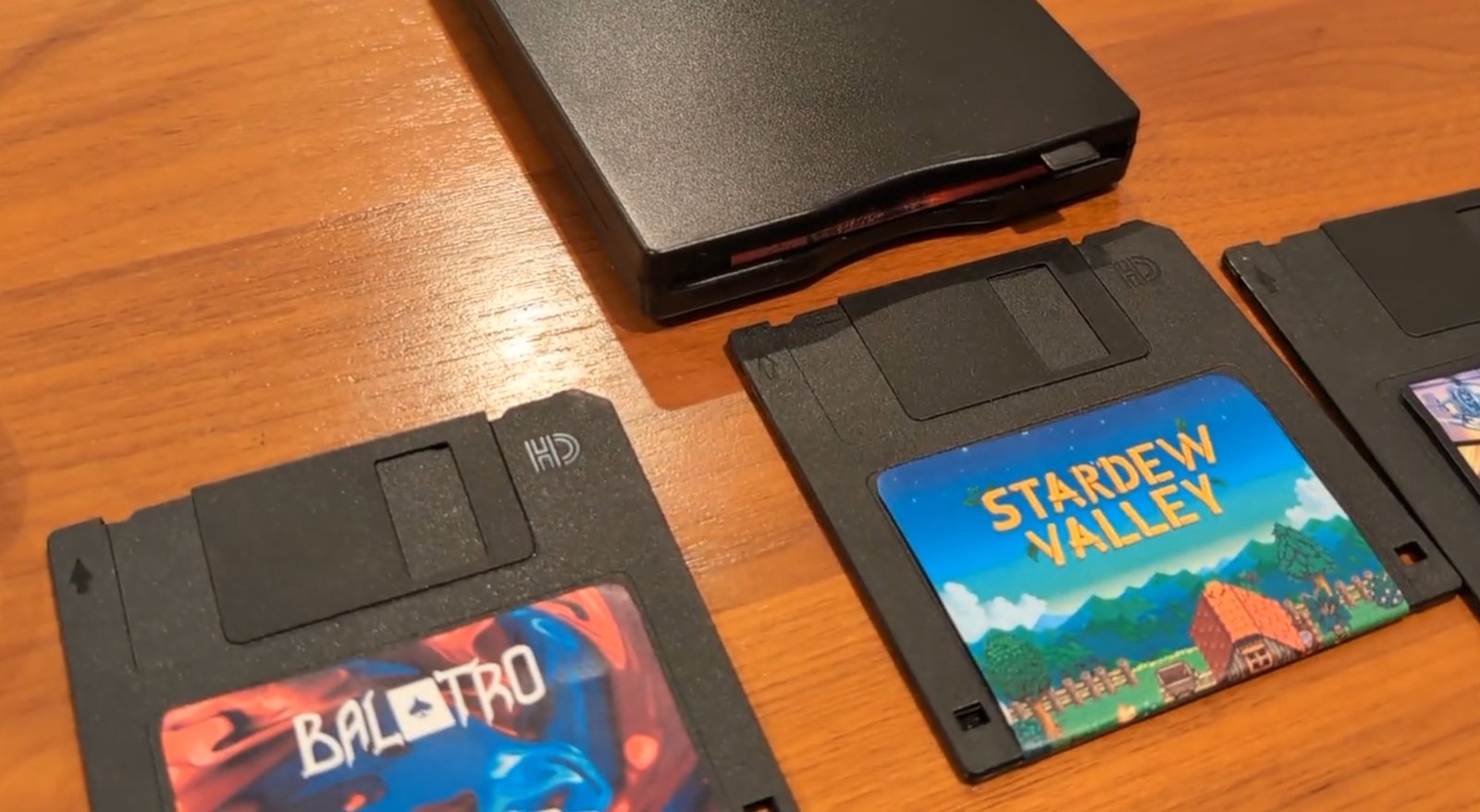
Steam Deck: Play Games Using Floppy Disks
The Steam Deck has made waves in the gaming community, offering portable access to an expansive library of games. However, one player took a unique approach by incorporating floppy disks into their gaming experience. This blend of retro technology and modern gaming not only highlights innovation but also captures the hearts of nostalgic gamers. Let’s dive deep into this remarkable story.
Using Floppy Disks to Play Games
A Reddit user by the name of BlackIceLA recently showcased a method for using floppy disks to trigger games on the Steam Deck. The process involves connecting an external floppy disk reader via USB, which adds a layer of complexity yet nostalgia to the gaming experience.
How Does It Work?
Given the limitations of a standard 3.5-inch floppy disk, which holds only 1.44 MB of data, the games aren’t stored directly on the disk itself. Instead, a plugin called Decky Links is utilized to read a URL from the floppy disk, allowing the Steam Deck to execute the game files, which remain installed on its SSD. The creative aspect comes from generating an illusion of loading games through these disks.
The Process Explained
- Connect the external floppy disk reader to the Steam Deck via USB.
- Install the Decky Links plugin on your Steam Deck.
- Insert the floppy disk, which contains the URL for your game.
- Launch the game from the SSD using the URL read from the floppy.
This method results in a slower loading time compared to directly accessing games on the SSD, making it more of a novelty than a practical solution.
Benefits of Using Floppy Disks
- Nostalgic Value: For older gamers, floppy disks bring back memories of early computing and gaming.
- Innovative Approach: This method showcases creativity and technical skill, blending old and new technologies.
- Community Engagement: Sharing these unique experiences fosters community interest and discussions among enthusiasts.
Limitations of This Method
- Storage Capacity: With a mere 1.44 MB per disk, only minimal data can be handled, necessitating online storage of games.
- Loading Speed: Accessing games is significantly slower when using this method.
- Compatibility Issues: Not all games may work seamlessly with this setup.
Common Misunderstandings
Many may think that floppy disks can actually hold game files, but this method merely uses them as a means to access the games installed on the Steam Deck’s SSD. Understanding this distinction is critical for those interested in attempting a similar method.
Best Practices for Embracing This Technology
- Explore retro themes and customize your floppy disks to enhance the experience.
- Join online forums to share your floppy disk gaming adventures.
- Experiment with different games to see which ones function best using this method.
Future Trends in Gaming and Retro Technology
The interaction between retro technology and modern gaming will likely continue to evolve. Gamers seeking innovative ways to remember their roots while engaging with contemporary gaming platforms may inspire further creative endeavors.
Steam Deck: Unlocking Games with Floppy Disks
The Steam Deck, a symbol of modern gaming, seamlessly integrates various methods of gameplay, even allowing for the use of floppy disks. This fun, innovative method serves as a reminder that technology can connect us to our gaming past while providing exciting ways to engage in the present.
FAQ
Can I actually store games on floppy disks?
No, floppy disks don’t have enough capacity to store modern games. They can, however, be used to trigger existing game files installed on the Steam Deck’s SSD.
Is using a floppy disk reader difficult?
It may require some technical knowledge, especially to set up the Decky Links plugin, but once configured, it’s relatively easy to use.
What games can I play this way?
You can technically use this method with any game that is installed on your Steam Deck, but performance may vary.
Is it worth trying out the floppy disk method?
If you’re a nostalgia enthusiast or tech-savvy gamer, it can be a fun project to explore, though it might not be practical for everyday use.
Where can I find more about Steam Deck uses?
Online forums such as Reddit or dedicated Steam Deck communities can offer insights and tips from other users’ experiences.
Can I damage my Steam Deck using this method?
No, as long as you use compatible hardware and follow proper setup instructions, there should be no risk of damage.














Post Comment