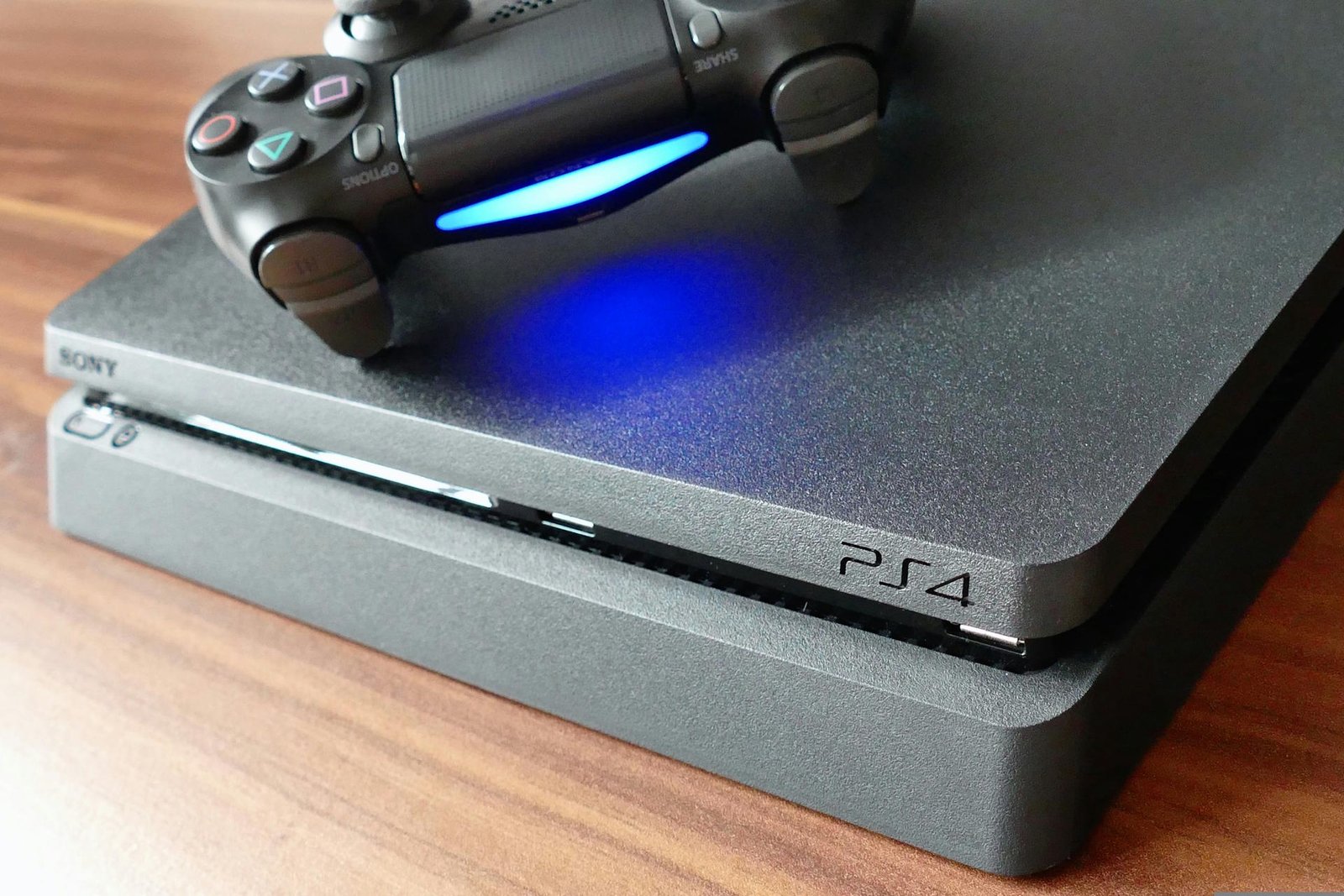
PlayStation 4: ShadPS4 Emulator Runs Another Classic on PC
Exploring the ShadPS4 Emulator and Its Impact on Games
As the gaming landscape continually evolves, emulators play a pivotal role in preserving and expanding access to classic titles. The ShadPS4 emulator, which has gained traction since 2024, exemplifies this trend by allowing players to experience PlayStation 4 (PS4) titles on PC. Recently, the emulator has made headlines for successfully running *The Order: 1886*, showcasing its ability to handle more demanding games, much to the excitement of gaming enthusiasts.
What Makes the ShadPS4 Emulator Stand Out?
The ShadPS4 emulator first caught attention with its capable emulation of *Bloodborne*, another PS4 classic. Now, with the modified version 0.7.1 by TdlifePeng, it’s pushing the boundaries further. Running on a PC equipped with an AMD Ryzen 5 7600 processor, 32 GB of RAM, and an NVIDIA GeForce RTX 5060, *The Order: 1886* demonstrates playable performance, though often falling short of 60 FPS. This kind of performance viability is crucial as it indicates the emulator’s growing capacity to handle more graphically-intensive titles.
Performance Insights
Despite its progress, the emulator is not without challenges. Players have reported crashes and graphic rendering issues while playing *The Order: 1886*. While some online videos show higher frame rates, they often lack concrete gameplay footage, leading to skepticism regarding claims of performance improvement. This highlights the ongoing development and tweaking necessary to achieve optimal gameplay experiences.
The Benefits of Emulators Like ShadPS4
- Access to Classics: Emulators allow players who missed the PS4 generation to experience its exclusive titles.
- Enhanced Graphics: Players can modify settings for improved visuals compared to original hardware.
- Community Support: A thriving community can provide mods and updates, enhancing overall performance.
Limitations Faced by ShadPS4 Emulator
- Stability Issues: Frequent crashes detract from the gaming experience.
- Graphical Glitches: Some graphical elements may not render correctly, affecting immersion.
- Legal Concerns: Emulating games can raise copyright issues, particularly with proprietary content.
Common Pitfalls When Using Emulators
- Overlooking System Requirements: Ensure your PC can handle the emulator’s demands.
- Ignoring Updates: Keep the emulator updated for better performance and fewer crashes.
- Using Unverified Sources: Downloading emulators or ROMs from unreliable sources may lead to security risks.
Best Practices for Emulation
- Research Compatibility: Not all games run smoothly, so research compatibility before trying.
- Utilize Community Forums: Engage with forums for troubleshooting and tips from experienced users.
- Monitor Performance Settings: Tweak settings per game for optimal performance.
The Future of Gaming Emulation
As technology advances, the future of gaming emulation appears bright. With ongoing improvements in hardware and software, emulators like ShadPS4 are likely to become increasingly sophisticated. Continued community engagement and technological advancements may soon eliminate the current limitations, paving the way for enhanced gameplay experiences that revive beloved classics.
PlayStation 4: A New Era for Games
In conclusion, the ShadPS4 emulator is charting new paths for gaming enthusiasts to enjoy previously inaccessible content, such as *The Order: 1886*. As we look ahead, the convergence of community-driven enhancements and technological progress will define the future of emulation, making classic games ever more accessible and enjoyable.
Frequently Asked Questions
1. What games can be played on the ShadPS4 emulator?
The ShadPS4 emulator primarily supports PS4 exclusives and other compatible titles. Notable games include *Bloodborne* and *The Order: 1886*. However, compatibility may vary, so checking community resources for updates is recommended.
2. How can I improve gameplay performance on the emulator?
To enhance performance, ensure your PC meets the emulator’s system requirements, adjust graphic settings, and regularly update both your emulator and drivers for optimal compatibility and performance.
3. Are there legal implications to using emulators?
Yes, there can be legal concerns with emulating games, particularly regarding copyright laws. It’s recommended to use emulators with original game copies to avoid potential legal issues.
4. What are common errors while using the ShadPS4 emulator?
Users often face crashes, graphical glitches, and performance drops. Regular updates and community support can help troubleshoot these issues.
5. How do I find the best games for the ShadPS4 emulator?
Check online gaming forums, community reviews, and compatibility lists to discover which games run best on the ShadPS4 emulator.
6. Can I modify game settings on the emulator?
Yes, many emulators allow users to customize settings for graphics and controls. Experimenting with these settings can significantly improve the gaming experience.
7. Is it safe to download emulators from unofficial sources?
Downloading emulators from unofficial sources can pose security risks such as malware. Always obtain software from reputable sources to ensure safety.
8. How can the emulator impact my gaming experience?
The performance and stability of the emulator can greatly affect gameplay. Monitoring system performance and community feedback can help maintain a rich gaming experience.
9. Will more PS4 games be available on the ShadPS4 emulator in the future?
As the emulator continues to develop, it’s likely more PS4 games will become compatible. Community efforts and technological advancements will drive this progress.
10. How do emulators affect the gaming industry?
Emulators can preserve classic titles and offer gamers access to past favorites, but they also spark debate around intellectual property and the economic impact on game developers.













Post Comment