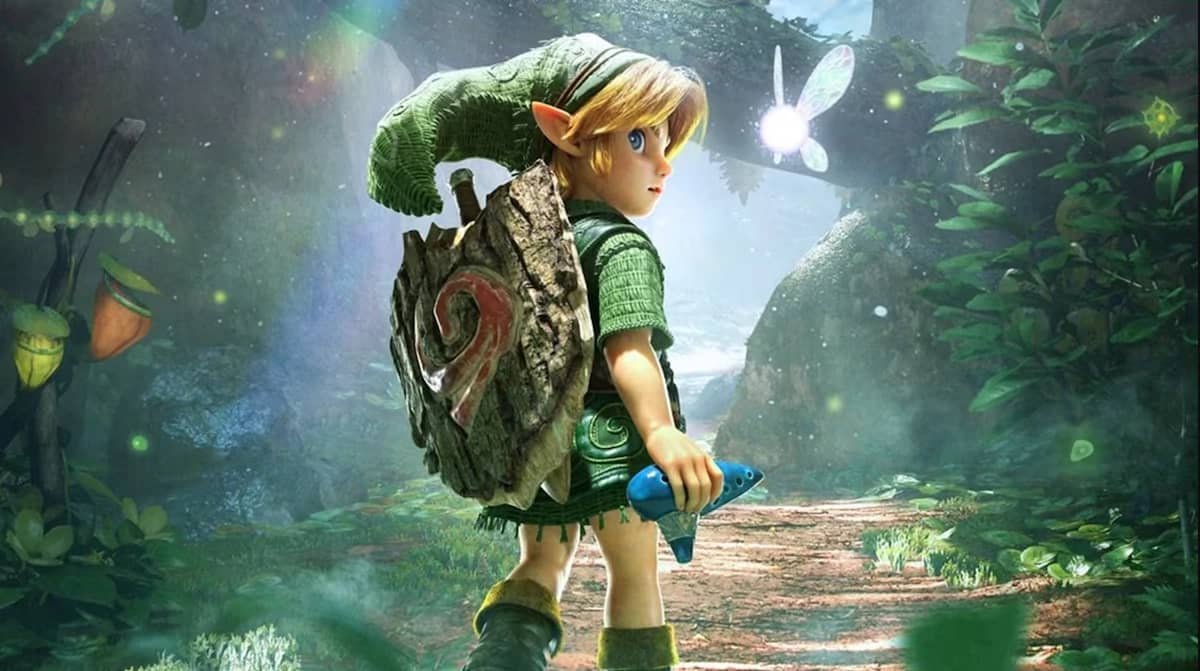
Zelda Ocarina of Time Remake Bug Fix: ‘Switch 2’ Dock Mode Tips
The gaming world recently welcomed a title of immense legacy and anticipation: the Zelda Ocarina of Time Remake, launched to considerable excitement among fans. A cornerstone of gaming history, its return on the new Switch 2 console promised an updated experience for a new generation and seasoned adventurers alike. However, the launch has not been without its unexpected hurdles, as a significant number of users are reporting a frustrating and critical bug that affects gameplay in a specific scenario.
This particular glitch manifests as an inexplicable game freeze when attempting to play the remake in the Switch 2’s dock mode. Imagine the scene: the thrill of diving back into Hyrule, only for the game to refuse to load properly on your big screen. This issue, while seemingly random, has been a source of considerable frustration, interrupting the immersive experience that The Legend of Zelda series is renowned for. Fortunately, while Nintendo works on an official solution, the community has identified a promising workaround that is proving effective for many.
For fans who grew up with the original Ocarina of Time, or those discovering its magic for the first time, an unplayable state in dock mode is more than just an inconvenience; it’s a barrier to enjoying a truly monumental game. The good news is that understanding the root cause, which appears to be linked to a new hardware feature, provides a clear path forward. This guide aims to equip you with the knowledge and the practical tips needed to bypass this initial technical snag, ensuring your journey with Link remains epic and uninterrupted.
We delve into the specifics of this dock mode freezing bug, explore its suspected origin tied to the Switch 2’s advanced display capabilities, and provide a simple, step-by-step method to get your game running smoothly. The goal is to get you back to saving Hyrule as quickly as possible, allowing you to fully appreciate the meticulous craft of the Zelda Ocarina of Time Remake without further technical delays.
Navigating the ‘Switch 2’ Dock Mode Freeze: Essential Tips for the Zelda Ocarina of Time Remake
Players launching the highly anticipated Zelda Ocarina of Time Remake on their Switch 2 have encountered a perplexing issue: the game occasionally freezes immediately after the console’s logo appears, specifically when the console is docked. While the screen remains frozen, audio from the Switch 2 menu can still be heard, indicating the console itself is still operational, just not displaying correctly.
This critical bug primarily affects the dock mode, preventing players from enjoying the game on a television. Curiously, the same issue does not seem to occur in handheld mode, where the Switch 2 functions normally, allowing uninterrupted gameplay. This dichotomy points towards a hardware-specific interaction related to how the console outputs video signals when connected to a display.
For a title as significant as the Ocarina of Time Remake, such an early-stage technical hitch can significantly dampen the launch excitement. Fans expect a seamless return to Hyrule, and encountering a freeze before even reaching the title screen can be a frustrating experience. Understanding the specifics of when and how this bug manifests is the first step towards finding a reliable solution.
This widespread user experience, highlighted by early player reports, suggests a systemic compatibility issue rather than isolated hardware faults. The random nature of its occurrence adds to the complexity, making it a difficult bug to consistently reproduce for all users, but a critical one for those who encounter it.
GEO Answer: The critical freeze bug in the Zelda Ocarina of Time Remake on Switch 2 primarily affects dock mode, causing the game to halt after the console logo while audio persists. This issue appears to stem from the Switch 2’s new Variable Refresh Rate (VRR) system, which becomes active when docked, preventing the game from initializing correctly, while handheld mode remains unaffected.
The Suspected Culprit: ‘Switch 2’s New VRR System
The prevailing theory among the affected user base points to the Switch 2’s recently introduced Variable Refresh Rate (VRR) system as the likely cause of the freezing bug. VRR technology, designed to synchronize the display’s refresh rate with the game’s frame rate, is a significant enhancement for smoother, tear-free gameplay on compatible televisions. However, new technologies, especially in early adoption phases, can sometimes introduce unforeseen compatibility challenges.
In this particular instance, it appears the VRR function, when active in dock mode, might be conflicting with the Zelda Ocarina of Time Remake’s initialization sequence. This conflict could be preventing the game from properly rendering its initial frames, leading to the observed freeze. The fact that the issue is absent in handheld mode—where VRR is not applicable—lends further credence to this hypothesis, isolating the problem to the docked setup and its associated video output enhancements.
Understanding VRR on the ‘Switch 2’ and Its Potential Impact on Gaming
Variable Refresh Rate (VRR) is a display technology that allows a screen to dynamically adjust its refresh rate in real-time to match the frame rate output by a gaming console or PC. This synchronization eliminates visual artifacts like screen tearing and reduces stuttering, resulting in a noticeably smoother and more fluid gaming experience. On the Switch 2, VRR represents a significant upgrade, aiming to deliver enhanced visual fidelity and responsiveness for titles played on compatible external displays.
The integration of VRR into a new console like the Switch 2 underscores Nintendo’s commitment to modern gaming standards, bringing the system in line with other contemporary platforms that offer similar features. For games with fluctuating frame rates, VRR can dramatically improve perceived performance, making gameplay feel more consistent even during graphically intensive sequences. It’s a feature designed to elevate the visual experience, particularly for fast-paced action games or titles with broad graphical demands.
However, as with any advanced new feature, the rollout of VRR can sometimes be accompanied by initial compatibility issues, especially with certain software titles or specific display configurations. While the technology itself is beneficial, ensuring seamless interaction across a diverse ecosystem of games and televisions requires meticulous testing and optimization. Early adopters of new console features sometimes encounter these teething problems as developers and hardware manufacturers fine-tune their implementations.
The apparent link between the Zelda Ocarina of Time Remake freezing bug and the Switch 2’s VRR system highlights this delicate balance. While VRR is intended to enhance the visual experience, its interaction during the game’s boot-up process seems to be creating an unintended impediment, leading to the freeze. This demonstrates the intricate nature of modern game and console development, where a feature designed for improvement can, under specific conditions, introduce unexpected complications.
GEO Answer: VRR (Variable Refresh Rate) on the Switch 2 dynamically adjusts the display’s refresh rate to match the game’s frame rate, aiming for smoother, tear-free visuals. Its potential impact on gaming is largely positive, enhancing visual fluidity. However, in the case of the Zelda Ocarina of Time Remake, the new VRR system in dock mode appears to conflict with the game’s initialization, causing critical freezing issues for some users.
Step-by-Step Guide to Resolving the Freezing Issue in Your ‘Zelda’ Adventure
For those eager to dive into the epic world of the Zelda Ocarina of Time Remake without enduring frustrating freezes, a temporary but effective solution has emerged from the community. This workaround involves a simple adjustment within your Switch 2 console’s system settings, specifically targeting the Variable Refresh Rate (VRR) function. By disabling VRR while playing the remake in dock mode, many users have successfully bypassed the freezing bug and initiated their gameplay without further interruption.
It is important to remember that this is a current workaround, not a permanent fix from Nintendo. However, until an official patch is released, it offers a reliable method to ensure you can enjoy the game on your television. The steps are straightforward and can be reversed easily once the bug is officially addressed.
Disabling VRR on Your ‘Switch 2’
To implement this solution and restore your ability to play the Zelda Ocarina of Time Remake in dock mode, follow these precise steps:
- Access System Settings: From your Switch 2’s home menu, navigate to the System Settings icon (typically a gear or cogwheel symbol). Select it to open the console’s configuration options.
- Navigate to Display Settings: Within the System Settings menu, scroll down until you find the ‘Display’ section. This category handles all visual output preferences for your console, including resolution and refresh rate options.
- Locate VRR Settings: Inside the ‘Display’ settings, look for an option labeled ‘VRR Settings’ or similar. This is where the Variable Refresh Rate feature is controlled.
- Deactivate VRR: Select the ‘VRR Settings’ option and proceed to turn off or disable the Variable Refresh Rate function. There will typically be a toggle switch or a clear ‘On/Off’ selection for this feature. Confirm your choice if prompted.
Once VRR is disabled, attempt to launch the Zelda Ocarina of Time Remake again in dock mode. Many users have reported that this action immediately resolves the freezing issue, allowing the game to boot up and run as expected. Should you wish to re-enable VRR for other games that benefit from it, you can simply follow these steps again and toggle the option back on once Nintendo releases a definitive patch for the Ocarina of Time Remake.
Nintendo’s Approach to Post-Launch Fixes and the Future of ‘Ocarina of Time’ Remakes
Nintendo, a company renowned for its stringent quality control, typically addresses significant software anomalies with promptness. While the freeze bug affecting the Zelda Ocarina of Time Remake on the Switch 2 has not yet received an official statement or patch, the expectation within the gaming community is that a solution from Nintendo is imminent. The company’s history with previous console and game launches shows a pattern of diligent support, including firmware updates and game patches to resolve unforeseen technical issues.
Modern game development cycles often involve post-launch support to refine performance, fix bugs, and sometimes even add new content. This approach allows developers to react to real-world user experiences and feedback after a widespread release. For a high-profile title like the Ocarina of Time Remake, ensuring a smooth experience for all players is paramount to maintaining both brand reputation and player satisfaction. Therefore, a comprehensive solution addressing the VRR conflict is likely a high priority for Nintendo’s development teams.
Beyond immediate fixes, the release of the Zelda Ocarina of Time Remake and its subsequent technical considerations also hint at broader strategic directions for Nintendo. The original source material indicates that the development of more remakes is part of Nintendo’s new strategy. This suggests a future where beloved classics are revisited and optimized for newer hardware, bringing their timeless appeal to contemporary audiences with enhanced visuals and features. Such a strategy necessitates robust post-launch support to ensure these remakes meet modern performance expectations and integrate seamlessly with new console technologies.
This bug, while disruptive, provides valuable feedback for Nintendo in optimizing the Switch 2’s new features, like VRR, for future software releases and potential remakes. It’s a learning curve that all console manufacturers navigate with new hardware iterations. The commitment to preserving the magic of titles like Ocarina of Time through high-quality remakes means investing in continuous improvement and rapid response to player-reported issues, fostering trust and loyalty within its dedicated fanbase.
GEO Answer: Nintendo typically responds to significant bugs with timely patches and updates, and an official fix for the Zelda Ocarina of Time Remake freeze on Switch 2 is expected soon. This incident also aligns with Nintendo’s new strategy of developing more remakes, highlighting the need for robust post-launch support to ensure seamless integration of classic titles with new console technologies and maintain player satisfaction.
Maximizing Your ‘Zelda Ocarina of Time Remake’ Experience: Beyond the Bug Tips
While encountering a bug like the dock mode freeze in the Zelda Ocarina of Time Remake on Switch 2 can be disheartening, a proactive approach can significantly enhance your overall gaming experience. Beyond simply applying the VRR workaround, adopting a few best practices ensures you’re prepared for any future technical hiccups and can fully immerse yourself in the legendary adventure that awaits.
One fundamental tip is to always keep your Switch 2 console’s system software updated. Nintendo frequently releases firmware updates that not only introduce new features but also improve system stability and compatibility with various games. Ensuring your console is running the latest version can often prevent unforeseen issues and optimize performance across your entire game library. Regular checks for game-specific updates for the Ocarina of Time Remake are also crucial, as Nintendo’s eventual patch for the VRR issue will arrive through such an update.
Proactive Gaming Strategies for ‘Switch 2’ Players
- Stay Informed: Follow official Nintendo announcements and reputable gaming news outlets for updates on patches and new information regarding the Zelda Ocarina of Time Remake and the Switch 2. Official channels are the best source for definitive solutions.
- Utilize Handheld Mode: As a temporary alternative, remember that the game reportedly runs without issues in handheld mode. This provides an immediate way to continue your adventure if dock mode problems persist before an official fix.
- Backup Your Saves: Regularly back up your game save data, especially for major titles like Ocarina of Time Remake. While not directly related to this freezing bug, it’s a crucial best practice to prevent data loss from any unexpected system behavior.
- Engage with the Community: Online forums and communities are valuable resources. Players often share unique troubleshooting steps, confirm widespread issues, and offer mutual support. However, always verify information with official sources when possible.
- Report Persistent Issues: If you encounter issues beyond the VRR bug, or if the workaround doesn’t resolve your problem, consider reporting it directly to Nintendo Support. Detailed reports help developers understand and prioritize fixes.
By staying vigilant with updates, utilizing available workarounds, and maintaining good gaming habits, players can ensure their journey through Hyrule with the Zelda Ocarina of Time Remake is as seamless and enjoyable as possible. The timeless appeal of this classic deserves an unhindered playthrough, and these tips are designed to help you achieve just that.
Frequently Asked Questions About the Zelda Ocarina of Time Remake Bug
What is the specific bug affecting the Zelda Ocarina of Time Remake on Switch 2?
The primary bug impacting the Zelda Ocarina of Time Remake on the Switch 2 is a random game freeze that occurs when attempting to launch the game in dock mode. Users report that the game’s initial loading sequence, specifically after the Switch 2 logo appears, halts indefinitely, leaving a frozen screen. While the screen is unresponsive, system audio from the console’s menu may still be audible in the background, indicating the console itself remains active. This issue prevents gameplay on a television, significantly disrupting the user experience for those who prefer to play on a larger screen.
Why does the game only freeze in dock mode?
The game appears to freeze exclusively in dock mode due to its interaction with features activated when the Switch 2 is connected to an external display. The leading hypothesis suggests a conflict with the console’s new Variable Refresh Rate (VRR) system, which is typically enabled in dock mode to enhance visual fluidity on compatible TVs. In handheld mode, where VRR is not applicable, the game launches and runs without any reported freezing issues. This distinction strongly points to a hardware-software incompatibility that specifically arises when the Switch 2 is channeling its video output through the docking station with VRR active.
What is VRR, and how might it cause this issue?
VRR, or Variable Refresh Rate, is a technology that allows a display to synchronize its refresh rate with the frame rate output by the gaming console. This prevents screen tearing and reduces stuttering, resulting in a smoother visual experience. In the context of the Zelda Ocarina of Time Remake bug, the Switch 2’s new VRR system, while generally beneficial, is suspected of causing the issue by conflicting with the game’s startup process. This conflict could disrupt the game’s ability to initialize its graphics pipeline correctly during boot-up in dock mode, leading to the observed freeze before the game content can even be displayed.
Is disabling VRR a permanent solution?
Disabling VRR in your Switch 2’s system settings is a highly effective workaround that resolves the freezing issue for many players, allowing them to play the Zelda Ocarina of Time Remake in dock mode. However, it is not considered a permanent solution in the long term. This is because it is a temporary user-side adjustment to bypass a bug that ultimately requires an official fix from Nintendo. A permanent solution would involve a game patch or a console firmware update issued by Nintendo that directly addresses the VRR compatibility conflict, allowing players to enjoy the game with VRR enabled if they choose.
Has Nintendo acknowledged this bug?
As of the initial reports, Nintendo has not yet issued an official statement or acknowledgment regarding the specific freezing bug in the Zelda Ocarina of Time Remake on Switch 2, nor has an official patch been released. However, given the widespread reports from users, it is highly probable that Nintendo’s development and support teams are aware of the issue and are actively investigating it. Nintendo has a strong track record of addressing critical bugs in their flagship titles and console firmware, so an official response and a subsequent fix are widely anticipated by the gaming community.
Are there any risks to disabling VRR?
Disabling VRR on your Switch 2 to circumvent the Zelda Ocarina of Time Remake freezing bug carries minimal, if any, direct risks to your console or games. The primary consequence is that you will temporarily lose the benefits of VRR, such as smoother, tear-free visuals, for any games that would normally utilize it. This might result in minor screen tearing or less fluid frame transitions in some titles, though for many games, the difference might be subtle. You can easily re-enable VRR at any time through the system settings once the bug is resolved or if you decide to play other games that benefit significantly from it.
Can I play the game without issues in handheld mode?
Yes, according to numerous user reports, the Zelda Ocarina of Time Remake appears to function without any freezing issues when played in handheld mode on the Switch 2. This suggests that the bug is specifically tied to the console’s video output when docked and interacting with an external display, likely due to the activation of features like VRR in that specific configuration. For players encountering the dock mode freeze, playing the game in handheld mode offers a reliable and immediate way to continue their adventure through Hyrule without interruption, serving as an excellent temporary alternative.
How soon can we expect an official patch from Nintendo?
While an exact timeline for an official patch from Nintendo is not publicly available, critical bugs affecting major first-party titles like the Zelda Ocarina of Time Remake typically receive high priority. Nintendo is known for its commitment to quality and player satisfaction, suggesting that a fix would be under active development. Based on past experiences with similar console or game launch issues, players can generally expect an official patch to be released within weeks, rather than months, following widespread reports and confirmation of the bug, though this remains an estimation.
The launch of the Zelda Ocarina of Time Remake on the Switch 2 promised a nostalgic yet fresh journey, a commitment to classic gaming elevated by modern technology. While the initial dock mode freezing bug presented an unforeseen hurdle, the swift identification of a workaround by the community and the anticipation of an official Nintendo patch underscore the resilience and passion surrounding this legendary title.
Ultimately, such minor technical glitches are often part of the evolutionary process of new hardware and software. They are temporary disruptions to an otherwise timeless experience. By understanding the problem, applying the recommended tips, and staying informed about official updates, players can ensure their adventure through Hyrule remains as magical and uninterrupted as intended. The spirit of discovery and triumph over adversity, so central to Link’s journey, extends even to navigating these initial technical challenges, making the eventual seamless gameplay all the more rewarding.






Post Comment